


BLOG
Website Security Audit in Ireland: What It Checks, Costs and Why You Need One
4 min read
Most Irish business websites are never properly checked for security. They get built, launched, and then updated now and then when someone remembers. That works until a plugin nobody has touched in two years becomes the way in for an attacker. A website security audit is how you find those weak spots on your own terms, before someone else finds them for you.
This guide explains what a website security audit is, what it checks, how the process works, what it costs in Ireland, and how often you need one. It is written for business owners and marketing teams, not security engineers.
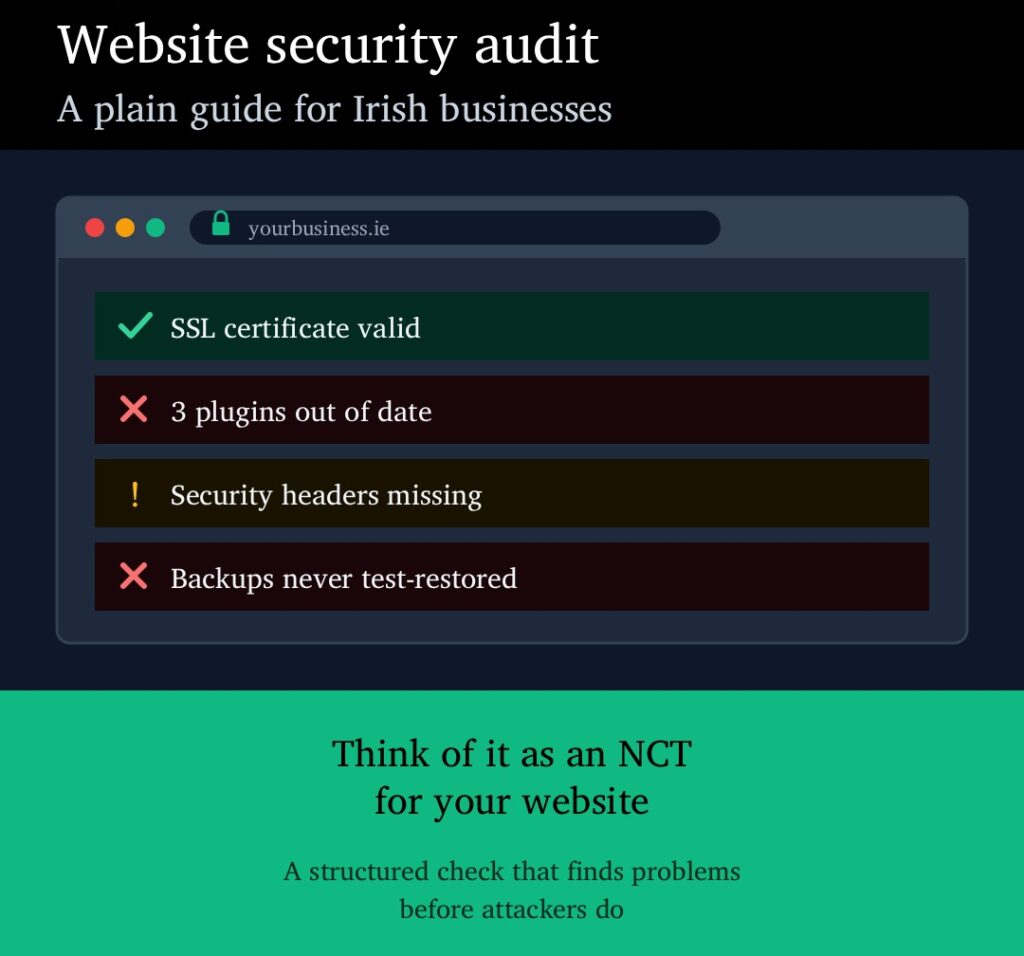
What Is a Website Security Audit?
A website security audit is a structured check of everything that keeps your website safe: the software it runs on, the server it sits on, who can log in, how it handles data, and whether you could recover if something went wrong.
The easiest way to think about it is an NCT for your website. The NCT doesn’t just check whether the car starts. It looks at brakes, tyres, lights and emissions, and gives you a list of what passes, what needs attention and what has to be fixed before you’re back on the road. A security audit does the same for your site. You get a clear list of what’s fine, what’s at risk, and what needs fixing first.
An audit combines automated scanning tools with a manual review by a security specialist. The tools are fast and good at spotting known problems, like an outdated plugin. The specialist catches what tools miss, like an admin account belonging to someone who left the company three years ago.
Why Irish Businesses Need One
Attackers don’t pick targets by size. Most attacks on business websites are automated. Bots scan thousands of sites a minute looking for known weaknesses. A small Irish company running an outdated WordPress plugin looks exactly the same to a bot as a large one. Our guide to common website vulnerabilities covers the weaknesses those bots look for.
GDPR expects you to test your security. If your website collects personal data through contact forms, bookings, accounts or a shop, Article 32 of GDPR requires “a process for regularly testing, assessing and evaluating” your security measures. A security audit is the simplest way to show you’ve done that. If there is ever a breach, the Data Protection Commission will ask what you did to prevent it. An audit report and a record of fixes is a strong answer.
NIS2 is coming into Irish law. The EU’s NIS2 Directive sets stricter cybersecurity rules for businesses in sectors such as energy, transport, health, finance, digital services and manufacturing. At the time of writing, Ireland’s National Cyber Security Bill, which brings NIS2 into Irish law, is still going through the Oireachtas, and the European Commission referred Ireland to the EU Court of Justice in July 2026 over the delay. Once the Bill passes, businesses in scope will need to show they manage cyber risk properly, with fines of up to €10 million or 2% of worldwide turnover for the most critical sectors. Regular audits are part of showing that.
Clients and insurers are asking. Larger clients, public sector buyers and cyber insurers increasingly send security questionnaires before they sign. “When was your last security audit?” is a standard question. Having a recent report makes those conversations short.
What a Website Security Audit Checks
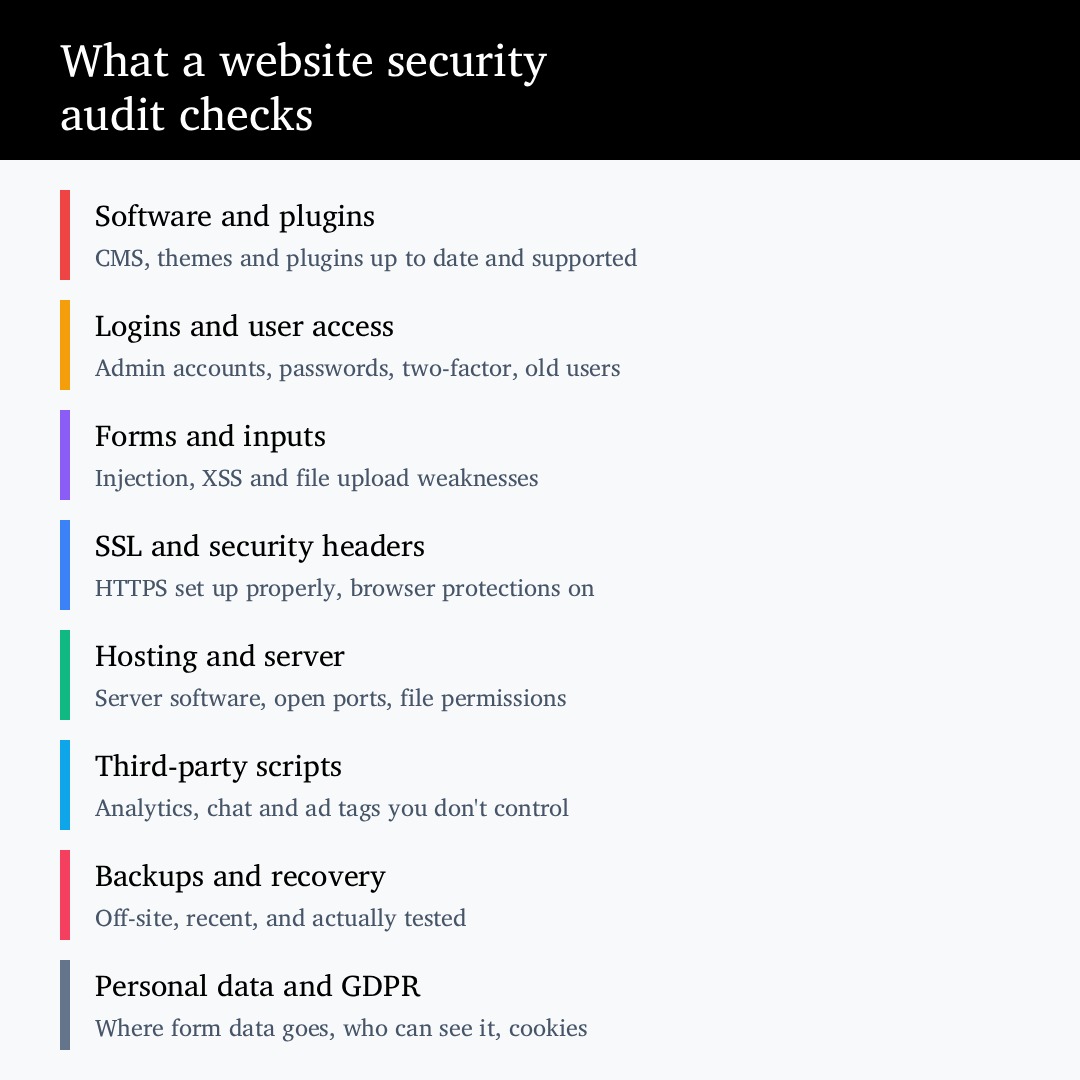
Every audit is scoped to the site, but a thorough one covers these eight areas.
Software and plugins. Is your CMS up to date? Are any themes or plugins outdated, abandoned by their developer, or known to have security holes? This is where most real-world breaches start. For WordPress sites, see our guide on how to update plugins safely.
Logins and user access. Who has admin access? Are there old accounts for former staff, freelancers or agencies? Is two-factor authentication switched on? Are login attempts limited, so bots can’t guess passwords all day?
Forms and inputs. Contact forms, search boxes and file uploads are the main ways data gets into your site. The audit checks they can’t be used to inject malicious code or upload harmful files. These are the classic risks listed in the OWASP Top 10.
SSL and security headers. Having the padlock in the browser is only the start. The audit checks your HTTPS setup is configured properly and that security headers are in place. These headers tell browsers to block common attacks. You can get a quick idea of your own headers at securityheaders.com.
Hosting and server. Is the server software supported and patched? Are there open ports or services that don’t need to be public? Are file permissions set so that a compromised plugin can’t take over the whole site? Your hosting setup matters as much as the website itself.
Third-party scripts. Analytics tags, chat widgets, ad pixels and booking tools all run code on your site that you don’t control. The audit lists them, checks they’re still needed, and flags any that load from untrusted sources.
Backups and recovery. Do backups exist? Are they stored somewhere other than the same server? Has anyone actually restored one to prove it works? An untested backup is one of the most common findings, and one of the most painful to discover during a real incident.
Personal data and GDPR. Where does form data go? Who can see it? Is it kept longer than it needs to be? Do cookies and tracking match what your consent banner says? This is where security and GDPR compliance overlap.
How the Audit Works, Step by Step
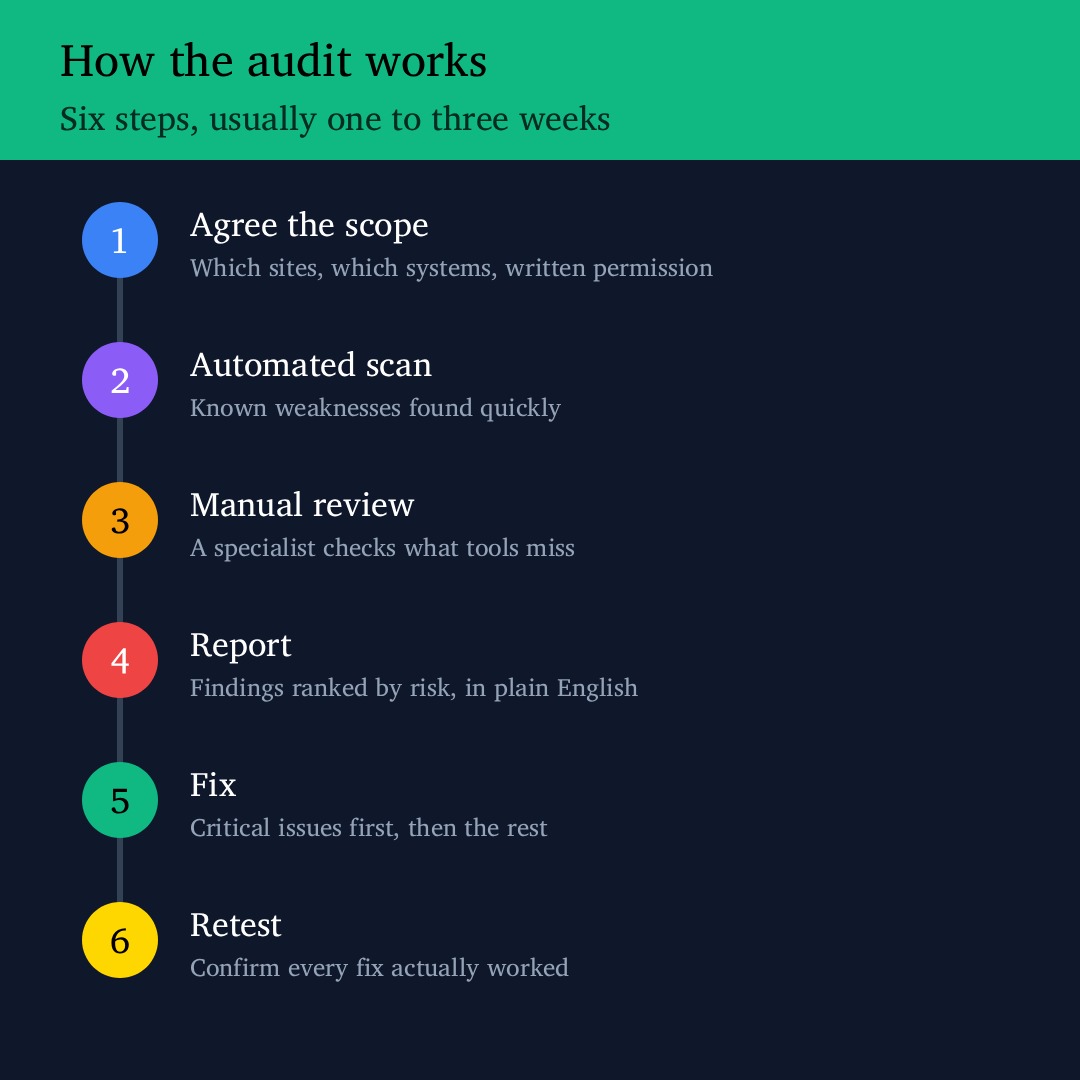
1. Agree the scope. You decide which websites, subdomains and systems are included. You also give written permission for the testing, which protects both sides.
2. Automated scan. Scanning tools check the site against databases of known weaknesses. This quickly finds outdated software, missing headers and common misconfigurations.
3. Manual review. A specialist goes through the results, removes false alarms, and checks the things tools can’t judge: user accounts, access levels, backup processes, third-party scripts and how data is handled.
4. Report. You get a report that ranks each finding by risk, from critical to low. It explains each one in plain English and says exactly how to fix it. A good report has a short summary for management and technical detail for whoever does the fixing.
5. Fix. Critical and high-risk issues are fixed first, often within days. Lower-risk items go into your normal maintenance plan.
6. Retest. The fixes are checked to confirm they worked. Skipping this step is common, and it means you’re assuming the problem is gone rather than knowing it.
For a typical business website, the whole process takes one to three weeks, depending on the size of the site and how quickly fixes can be made.
Security Audit, Vulnerability Scan or Penetration Test?
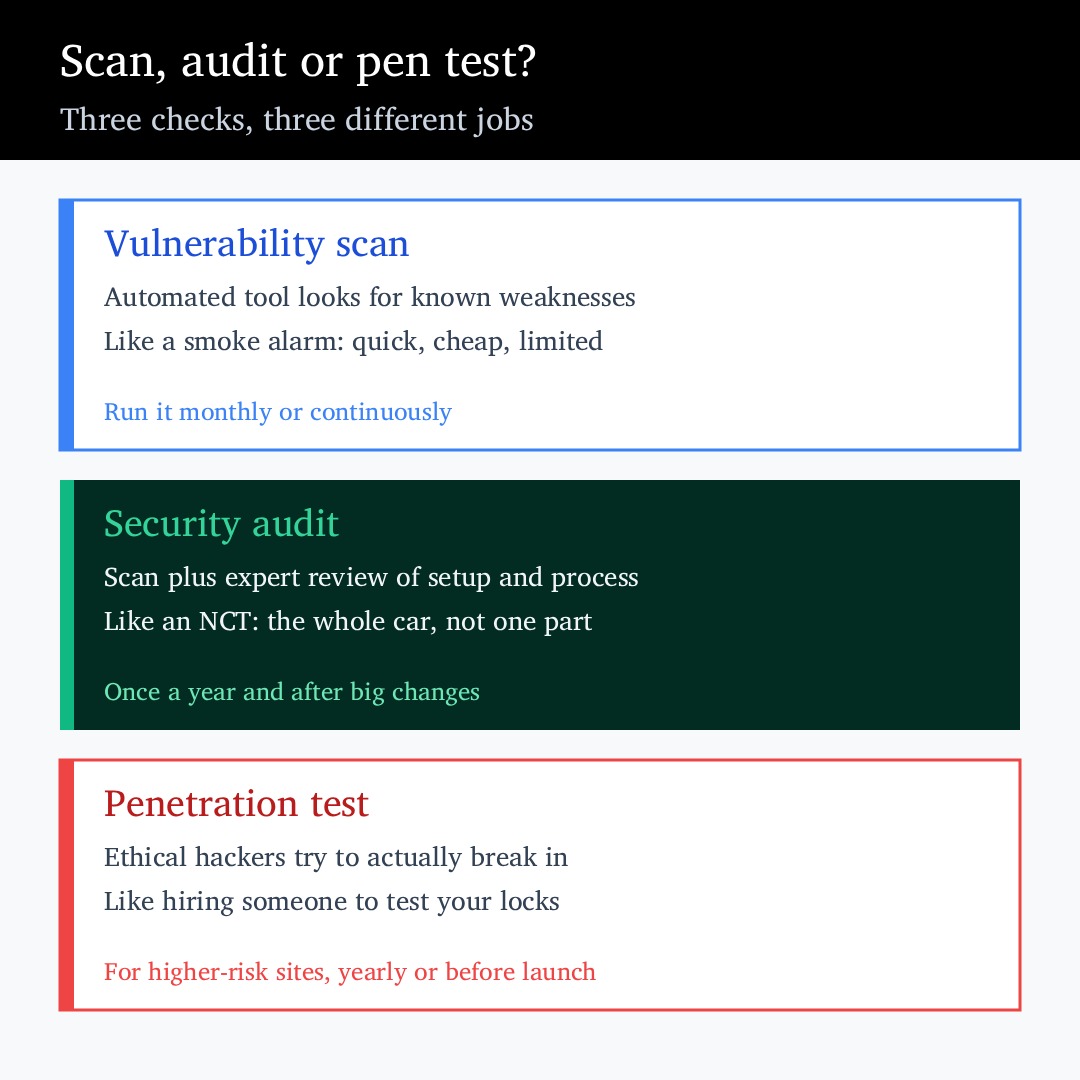
These three terms get mixed up a lot. They’re related, but they do different jobs.
A vulnerability scan is automated. It’s like a smoke alarm: quick, cheap, and good at catching known problems, but it won’t tell you the whole story. It works best running monthly or continuously in the background.
A security audit includes a scan, plus expert review of your setup, access, processes and data handling. It’s the NCT: a full check of the whole site. Most businesses need one once a year and after any big change.
A penetration test goes further. Ethical hackers actively try to break in, the same way a real attacker would, to prove what could actually be reached. It’s like hiring someone to test your locks. It suits higher-risk sites such as ecommerce, customer portals and anything handling sensitive data. Our guide on penetration testing and when to commission one explains it in detail.
For most Irish SMEs, the right mix is a yearly security audit, continuous scanning in between, and a penetration test for any site that takes payments or holds sensitive customer data.
What You Get at the End
The output of a good audit is a short, usable document, not a 200-page export from a scanning tool. You should expect:
- A one-page summary of your overall security position, written for non-technical readers
- Every finding ranked by risk, with a plain explanation of what it means for your business
- Specific fixes for each issue, not generic advice
- A suggested order of work, so you know what to do this week and what can wait
- Confirmation after retesting that the fixes worked
That report also does double duty as evidence for GDPR, NIS2, client questionnaires and insurance renewals.
How Much Does a Website Security Audit Cost in Ireland?
It depends on the size and complexity of the site. As a rough guide:
- A brochure website with a few pages and a contact form sits at the lower end, typically a few hundred to low thousands of euro
- An ecommerce site or membership site with customer accounts, payments and integrations costs more, as there is more to check
- Web applications and portals with custom code, APIs and sensitive data usually need an audit combined with a penetration test, priced on scope
Be wary of very cheap “audits” that are just an automated scan with a logo on the report. The manual review is where most of the value is. A useful comparison is the cost of a breach: emergency clean-up, downtime, lost sales, customer notifications and possible DPC involvement almost always cost far more than prevention.
How Often Should You Audit Your Website?
At least once a year. Also audit after any of these:
- A website rebuild, redesign or move to a new platform
- A change of hosting provider or server
- Adding ecommerce, customer logins or new integrations
- A change of agency or developer
- Any security incident, even a small one
Between audits, keep software updated, run automated scans, and review who has admin access every few months. Our article on cybersecurity audits for SMEs looks at the wider business side of this, beyond the website.
Signs Your Website Needs an Audit Now
- You don’t know when the site’s plugins or software were last updated
- You aren’t sure who has admin access
- The site was built by an agency or freelancer you no longer work with
- You’ve never restored a backup to check it works
- A client or insurer has asked about your security and you didn’t have an answer
- The site has been slow, redirecting strangely or showing content you didn’t add
If the last point applies, treat it as urgent. Those can be signs the site is already compromised, and it needs checking straight away rather than at the next scheduled audit.
Choosing Who Does Your Audit
Look for a provider who explains the scope in writing before starting, reviews results manually rather than just running a tool, writes reports your team can act on, understands GDPR and Irish regulatory requirements, and offers a retest. Our guide on how to choose a cybersecurity agency in Ireland lists the questions to ask.
Summary
A website security audit is a structured check that finds weak spots in your site before attackers do. It covers software, logins, forms, SSL, hosting, third-party scripts, backups and personal data, and ends with a ranked list of fixes. For Irish businesses, it also supports GDPR, prepares you for NIS2, and gives you a ready answer when clients and insurers ask about security. Once a year, plus after any major change, is the right rhythm for most businesses.
The cybersecurity team at Matrix Internet carries out website security audits for businesses across Ireland, from small brochure sites to ecommerce platforms and web applications. We scope the audit with you, explain every finding in plain English, and can fix what we find through our technical support team.
By Matrix Internet


