


BLOG
Lightsail’s New WordPress Instance Is Slower Than Bitnami. Here’s Why.
4 min read
Matrix is proud to join PACE, now launched in Moldova. The Erasmus+ project strengthens youth organisations across the region with training, digital resources and collaboration to support displaced Ukrainian young people.
For years, launching WordPress on AWS Lightsail meant getting a Bitnami instance. It had its own folder layout and its own tools, but it came tuned and ready to serve a real site.
Lightsail’s newer WordPress instance takes a different approach. We moved a small portfolio site from an old Bitnami instance to the new one, and the site became noticeably slow on first load. This article looks at what changed between the two, what the new setup does better, and what you need to fix yourself.
The Short Version
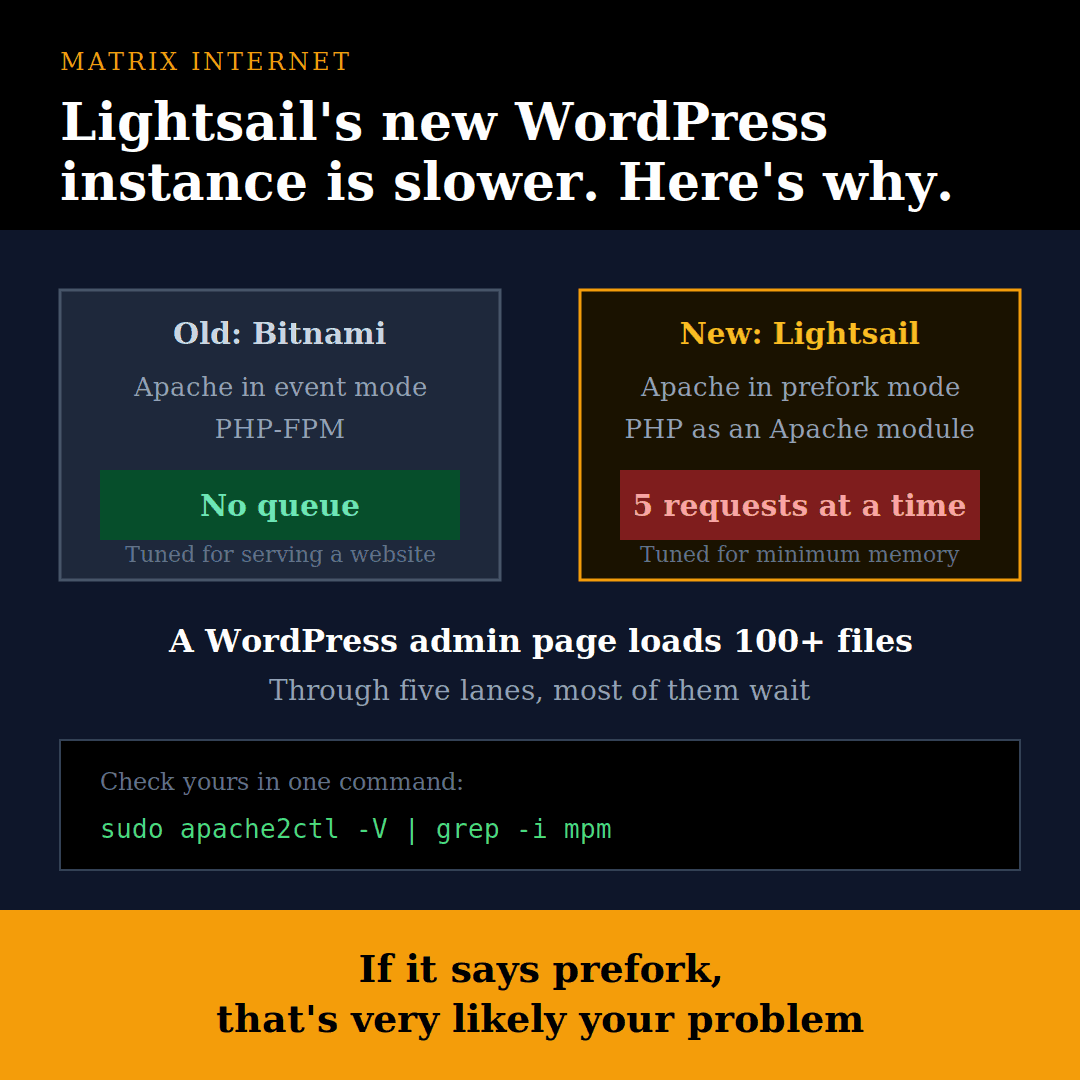
The new instance is cleaner and closer to a standard Linux server. But it ships with Apache tuned for minimum memory, not for serving a website. Out of the box, it allowed only 5 requests at a time. Bitnami never had that problem.
Side by Side
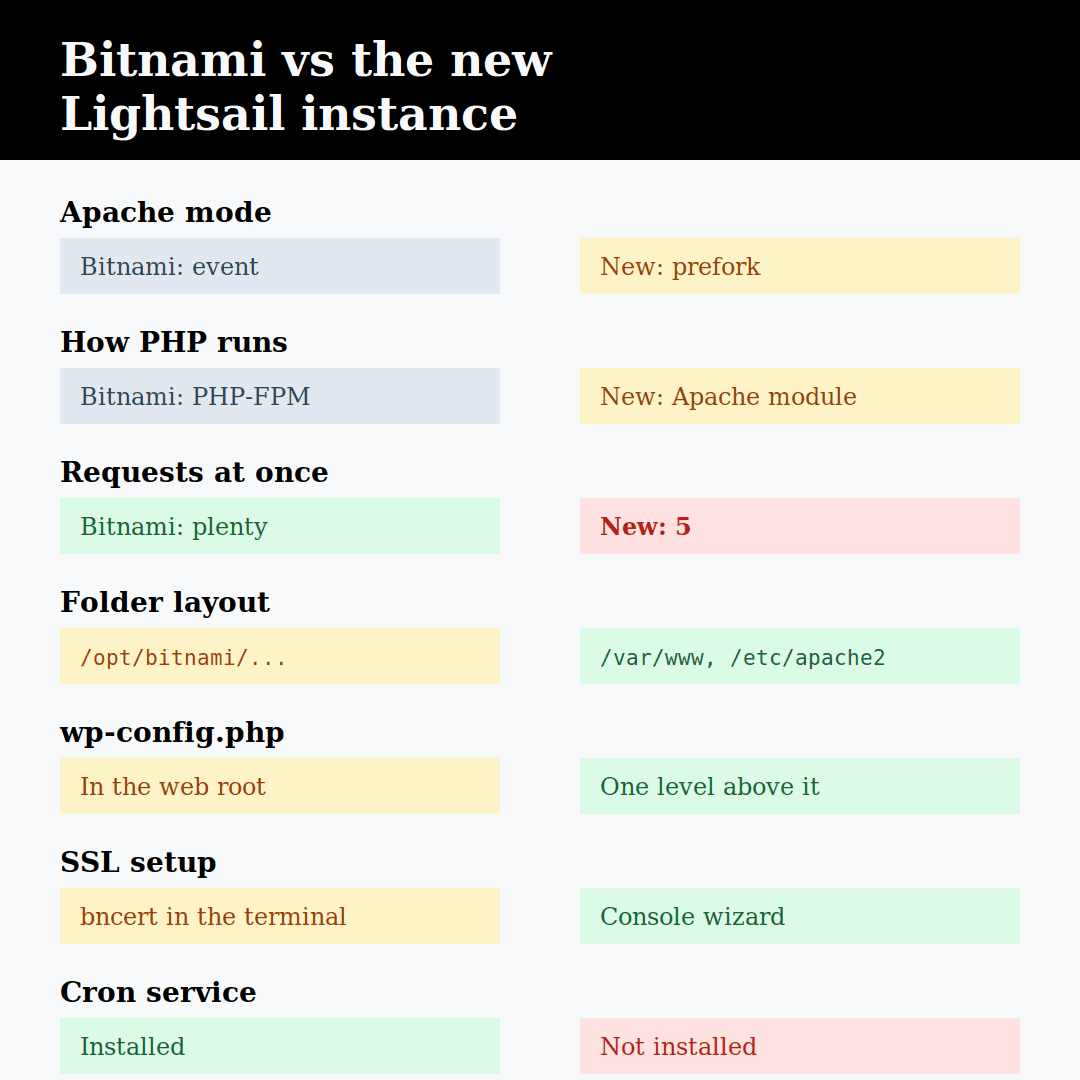
The differences that matter:
- Apache mode: Bitnami runs event, the new instance runs prefork
- How PHP runs: Bitnami uses PHP-FPM, separate from Apache. The new instance runs PHP as an Apache module
- Simultaneous requests: plenty on Bitnami, 5 on the new instance
- Keep-alive wait: not an issue in event mode, 5 seconds per worker on the new one
- Folder layout: Bitnami’s own
/opt/bitnami/...versus standard Debian/var/wwwand/etc/apache2 - wp-config.php: inside the WordPress folder on Bitnami, one level above the web root on the new instance
- SSL setup: Bitnami’s bncert tool in the terminal, versus a step-by-step wizard in the Lightsail console
- WP-CLI: available on both, at
/usr/local/bin/wpon the new one - Cron service: available on Bitnami, not installed on the new instance
What the New Instance Does Better
Standard Linux layout. Apache lives in /etc/apache2, PHP in /etc/php, and the site in /var/www. Any Debian or Ubuntu guide now works as written. With Bitnami, you always had to translate paths.
Normal updates. Apache, PHP and the system update with apt, like any other Debian server.
SSL from the console. The Lightsail setup wizard checks your DNS, attaches a static IP and issues a Let’s Encrypt certificate without touching the terminal. For most people, that’s easier than bncert.
wp-config.php outside the web root. The config file sits one folder above the public site files, so it can’t be served to visitors by mistake. A small but real security improvement.
WP-CLI ready to go. Updates, search-replace and option changes work straight from the terminal.
Where It Falls Short
1. Apache is limited to 5 workers
This is the big one. The new instance runs Apache in prefork mode with:
MaxRequestWorkers 5
KeepAliveTimeout 5

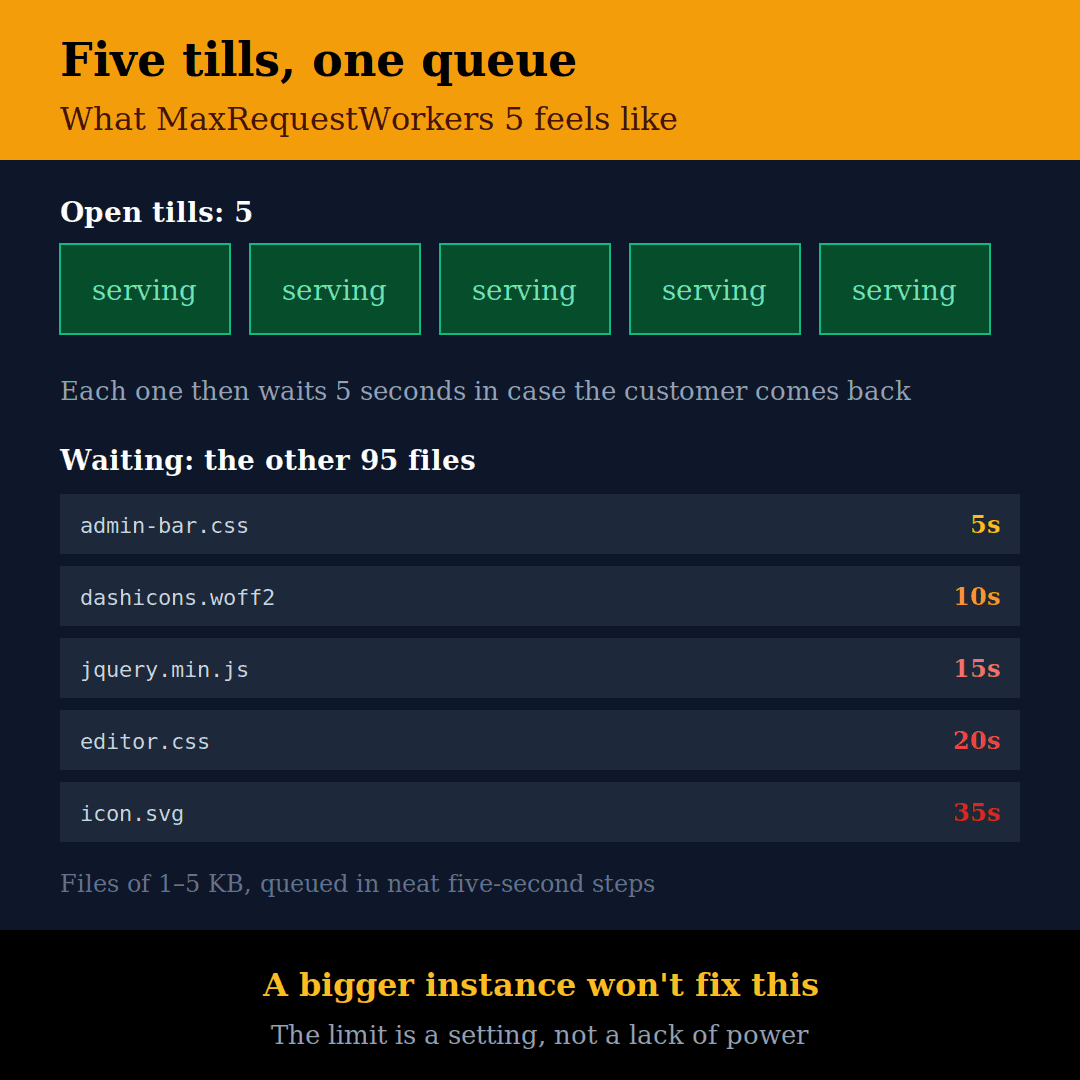
Think of it as a shop with 5 tills, where each cashier waits 5 seconds after every customer in case they come back. A WordPress page can load dozens of files. A WordPress admin page loads over 100. So on a first visit, before the browser has anything cached, most files wait in line.
In Chrome’s Network tab, tiny 1–5 KB files took 5, 10, 15, 20 seconds and more, in neat 5-second steps.
Bitnami runs Apache in event mode with PHP-FPM. Images, CSS and JavaScript are handled by lightweight threads, and only PHP pages use the heavier PHP workers. No queue.
Doubling the instance size didn’t help, because the limit is a setting, not a lack of power.
2. The SSL wizard doesn’t survive resizing well
Resizing a Lightsail instance means creating a new one from a snapshot. After doing that, the Let’s Encrypt setup created by the wizard broke (fullchain does not match cert + chain). After a restart, Apache fell back to its default “snakeoil” placeholder certificate, and Cloudflare showed error 526.
If you use Cloudflare, a Cloudflare Origin Certificate is more robust. It’s free, lasts 15 years and doesn’t depend on renewals.
3. No cron service
The cron package isn’t installed. That matters if you want to run WordPress scheduled tasks on a timer instead of on visitor page loads. Install it with sudo apt install cron.
4. PHP settings are split
Once you switch to PHP-FPM to fix the speed problem, PHP uses a different settings file (/etc/php/8.2/fpm/php.ini). The new instance had tuned the Apache version only. Upload limits dropped to the defaults, and a Lightsail file that raised memory to 512M (90-lightsail-memory.ini) existed only for the old setup. Elementor’s editor partly broke until both were fixed.
5. IPv6 is on by default
The instance gets an IPv6 address, but it isn’t static. If you point AAAA records at it and later resize, they point at nothing, and some connections hang until they time out.
How to Bring It Up to Bitnami’s Level
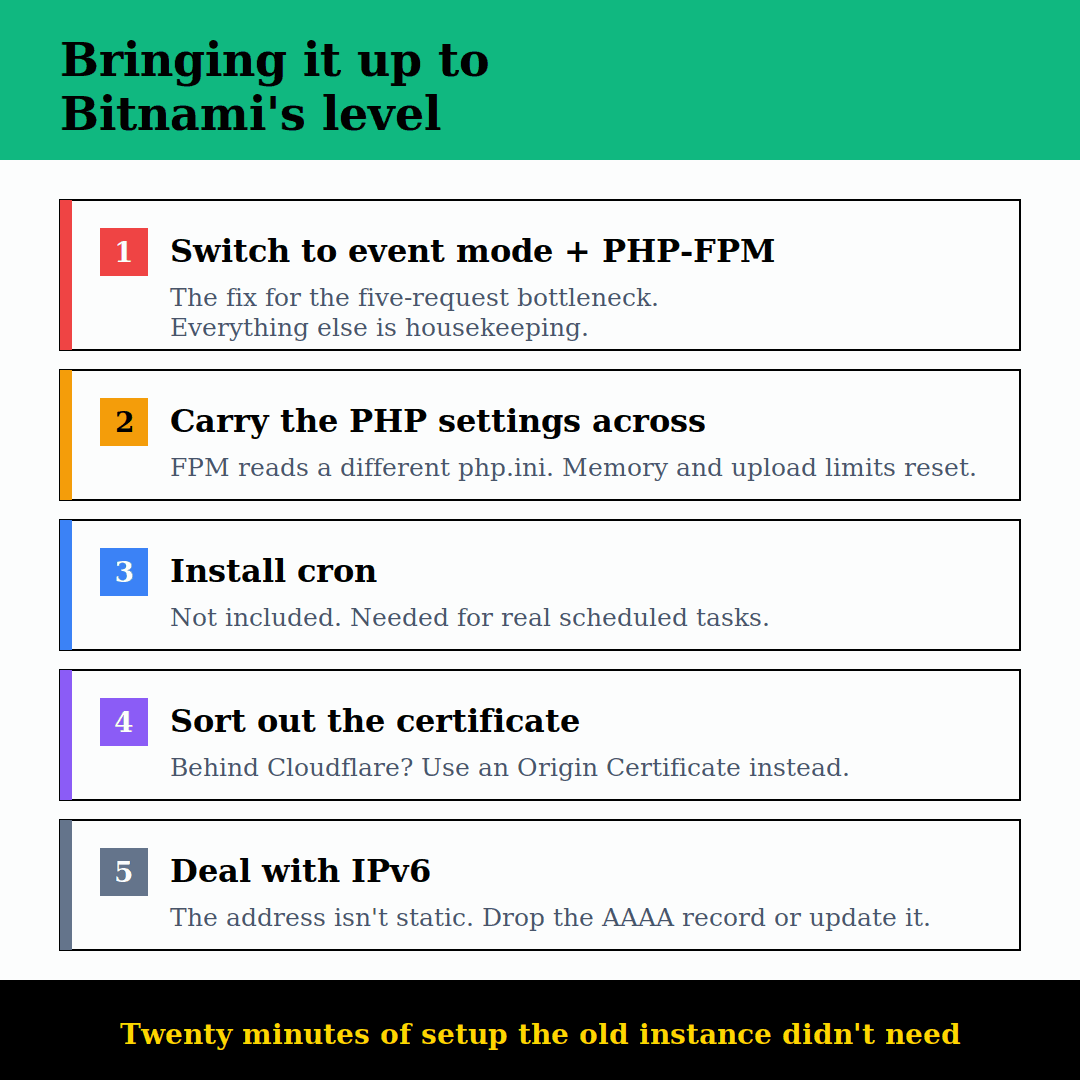
Switch Apache to event mode with PHP-FPM (Debian, PHP 8.2):
sudo apt update && sudo apt install -y php8.2-fpm
sudo a2dismod php8.2 mpm_prefork
sudo a2enmod mpm_event proxy_fcgi setenvif
sudo a2enconf php8.2-fpm
sudo systemctl enable --now php8.2-fpm
sudo apache2ctl configtest && sudo systemctl restart apache2
Carry the Lightsail memory setting across to PHP-FPM:
sudo cp /etc/php/8.2/apache2/conf.d/90-lightsail-memory.ini /etc/php/8.2/fpm/conf.d/
sudo systemctl restart php8.2-fpm
Then:
- Set upload, post and
max_input_varslimits in/etc/php/8.2/fpm/php.ini - Install cron if you want WordPress tasks on a timer
- Remove any AAAA records pointing at the instance, or keep them updated after every resize
- If you’re behind Cloudflare, use a Cloudflare Origin Certificate instead of the wizard’s Let’s Encrypt one
So, Is the New Instance Worth It?
Yes, once it’s tuned. The standard Debian layout, console SSL wizard and safer config location are genuine improvements, and they make the server easier to manage long term.
But it isn’t ready for a real site out of the box. Bitnami came pre-tuned for serving WordPress. The new instance comes tuned to use as little memory as possible. If your new Lightsail WordPress site feels slow on first load, check Apache’s mode before you pay for a bigger instance:
sudo apache2ctl -V | grep -i mpmIf it says prefork, that’s very likely your problem.
If your site is slow and you’d rather not spend an afternoon in the terminal, the hosting team at Matrix Internet tunes and manages WordPress servers for businesses across Ireland, and our technical support team handles the maintenance afterwards. If the site is down rather than slow, our guide on why websites go down is the better starting point.
At Matrix Internet, our hosting team tunes and manages WordPress servers for businesses across Ireland — getting the server configuration right so sites load fast, and keeping them maintained so they stay that way.
FAQs
The most likely cause is Apache’s configuration rather than the size of your instance. Lightsail’s newer WordPress image runs Apache in prefork mode with MaxRequestWorkers 5, which means only five requests can be served at once. A WordPress page loads dozens of files, and an admin page loads over a hundred, so on a first visit most of them queue. Check which mode you’re running with sudo apache2ctl -V | grep -i mpm. If it says prefork, that’s very likely your problem, and switching to event mode with PHP-FPM fixes it.
No. We doubled the instance size and it made no difference, because the five-request limit is a configuration setting, not a shortage of memory or CPU. Paying for a larger instance without changing the Apache configuration just gives you a more expensive server with the same bottleneck. Change the configuration first, then decide whether you genuinely need more resources.
Prefork creates one separate process per request, which uses a lot of memory, so the number of simultaneous requests has to be kept low. Event mode uses lightweight threads to handle static files like images, CSS and JavaScript, and hands PHP pages off to PHP-FPM, which runs separately. For a WordPress site, event mode with PHP-FPM is significantly better: static files stop competing with PHP for the same limited slots, and the queue disappears.
Not necessarily. The new instance is better in several real ways — a standard Debian folder layout so normal guides apply, updates through apt, an SSL wizard in the console, and wp-config.php stored outside the web root. The problem is that it isn’t tuned for serving a website out of the box. Once you switch Apache to event mode with PHP-FPM and carry the PHP settings across, you get Bitnami’s performance with a server that’s easier to manage long term.
By Srdjan


