


BLOG
How to Move Your Website Without Losing Rankings
4 min read
Matrix is proud to join PACE, now launched in Moldova. The Erasmus+ project strengthens youth organisations across the region with training, digital resources and collaboration to support displaced Ukrainian young people.
Every business eventually moves its website. A redesign, a new platform, a rebrand, a change of hosting. The work itself is usually fine. What goes wrong is everything around it: old pages disappear, Google can’t find the new ones, and three months later someone notices enquiries have halved.
It doesn’t have to go that way. Losing rankings during a migration is almost always preventable, and the preventable part comes down to a handful of steps that get skipped when a launch date is tight. Here’s how to move a website properly.
First, Work Out What Kind of Move This Is
Not all migrations carry the same risk, and knowing which one you’re doing tells you how much work is involved.
Same URLs, new host. You’re moving servers but the website and its addresses stay the same. Lowest risk. The main things to watch are downtime, DNS and site speed.
Same URLs, new design. A visual redesign where page addresses don’t change. Moderate risk. Rankings usually hold, but they can move if the content or page structure changes a lot.
New URLs. A new site structure, a move from .html pages to clean URLs, or a switch to a new CMS. This is where redirects matter, and where most rankings get lost.
New domain. A rebrand or a move from .com to .ie. Highest risk, and the only case where you also need to tell Google directly using the Change of Address tool in Search Console.
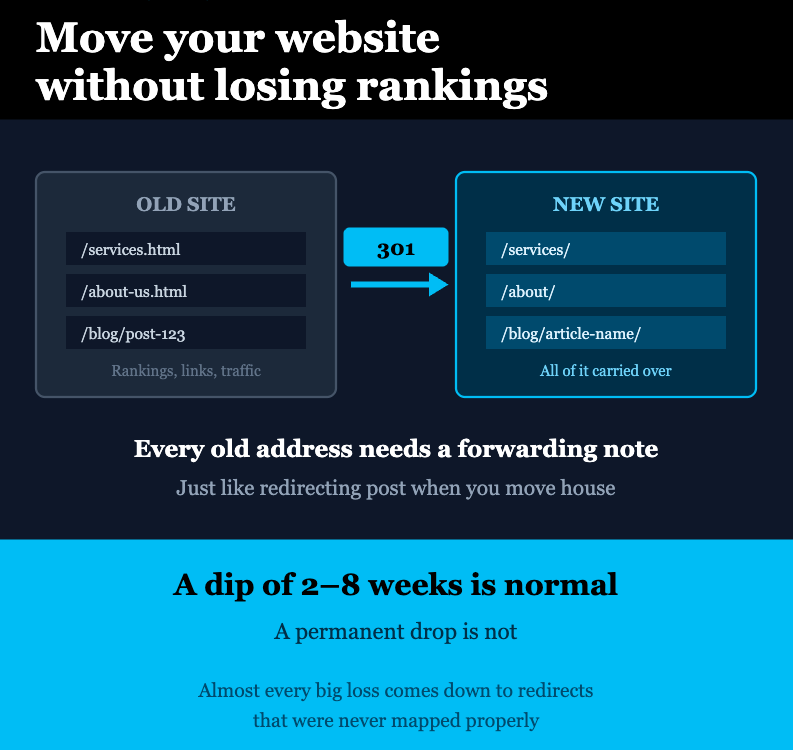
A useful way to think about it: moving house. If you keep the same address and just repaint, nothing happens to your post. If you move to a new address, every letter needs forwarding. If you skip that, the post stops arriving. Redirects are your forwarding order, and Google is the postman.
Why Sites Lose Rankings After a Move
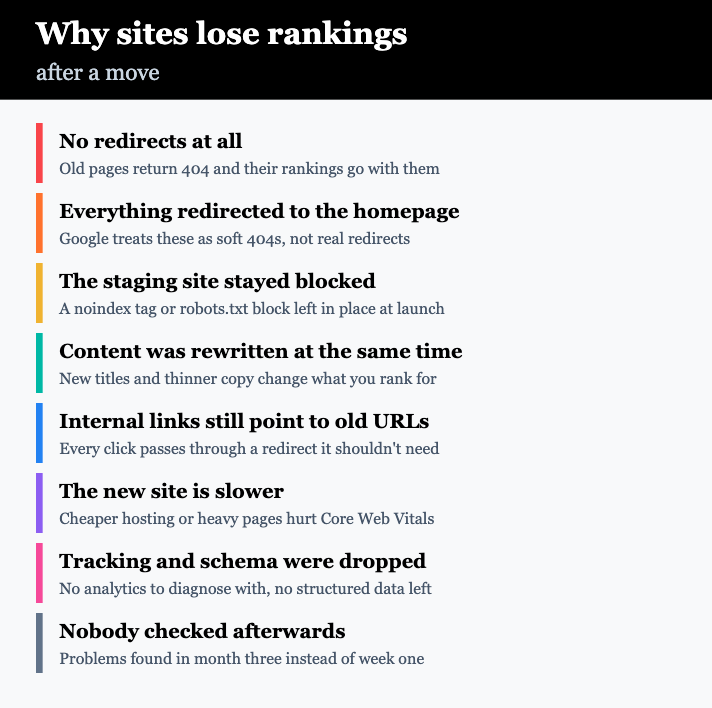
In practice, the damage nearly always comes from one of these:
No redirects. Old URLs return a 404. Anyone clicking an old link, whether from Google or another website, hits a dead page. Those pages lose their rankings within weeks.
Everything redirected to the homepage. A shortcut that looks like a solution. Google treats a mass redirect to the homepage as a soft 404 and drops the pages anyway. Visitors also land somewhere irrelevant and leave.
The staging site’s blocking tags left in place. Staging sites are usually set to noindex, or blocked in robots.txt, so Google doesn’t index the half-finished version. If that setting goes live with the new site, Google is being told to ignore you. It’s the single most common catastrophic migration mistake, and it’s a five-second fix if you catch it.
Content rewritten at the same time. A new design often comes with shorter, prettier copy. If the page that ranked had 900 words and the new one has 200, you’ve changed what it can rank for. Redesign and rewrite are two separate projects.
Internal links still pointing at old URLs. Redirects catch them, but every link should point to the final address. Chains slow crawling and waste the redirect you set up.
The new site is slower. A move to cheaper hosting, or a heavier design, can hurt Core Web Vitals. Speed won’t sink you on its own, but it compounds everything else.
Tracking removed. Analytics and Search Console are how you spot problems. If the tags didn’t come across, you’re flying blind at exactly the wrong moment.
Before You Launch
1. Crawl the old site and keep the list
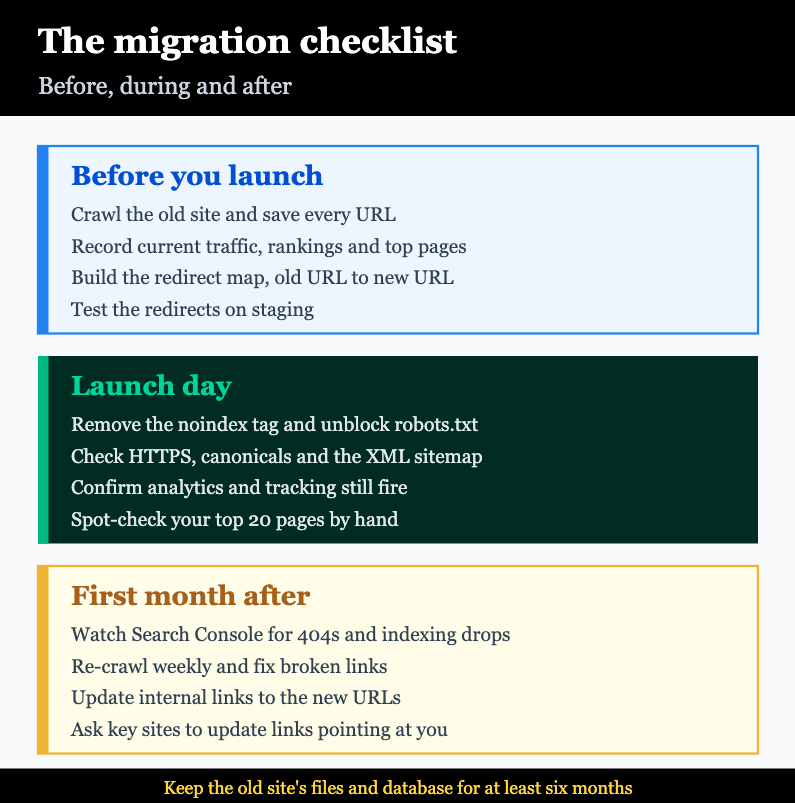
Use Screaming Frog or a similar crawler to export every URL on the current site, with its title, meta description and status code. This list is the foundation of the whole migration. Export your indexed pages from Google Search Console too, because crawlers miss pages that aren’t linked internally but still get traffic.
2. Benchmark where you are
Record your current position before anything changes, or you’ll never know what the move actually cost:
- Organic traffic for the last 3–6 months
- Your top 50 pages by traffic and by conversions
- Current rankings for your main keywords
- Total indexed pages in Search Console
- Which sites link to you, and which pages they link to
3. Build the redirect map
This is the part that decides whether the migration works. A spreadsheet with two columns: every old URL, and the new URL it should point to. Every single one.
Where a page has no direct equivalent, send it to the closest relevant page, not the homepage. If a service page is being merged into a bigger one, redirect it there. Only leave a URL to 404 if the content is genuinely gone and had no traffic or links.
4. Test on staging
Run the redirect map against the staging site and check each one returns a 301 and lands on the right page. Fix them there, where mistakes cost nothing.
Getting Redirects Right
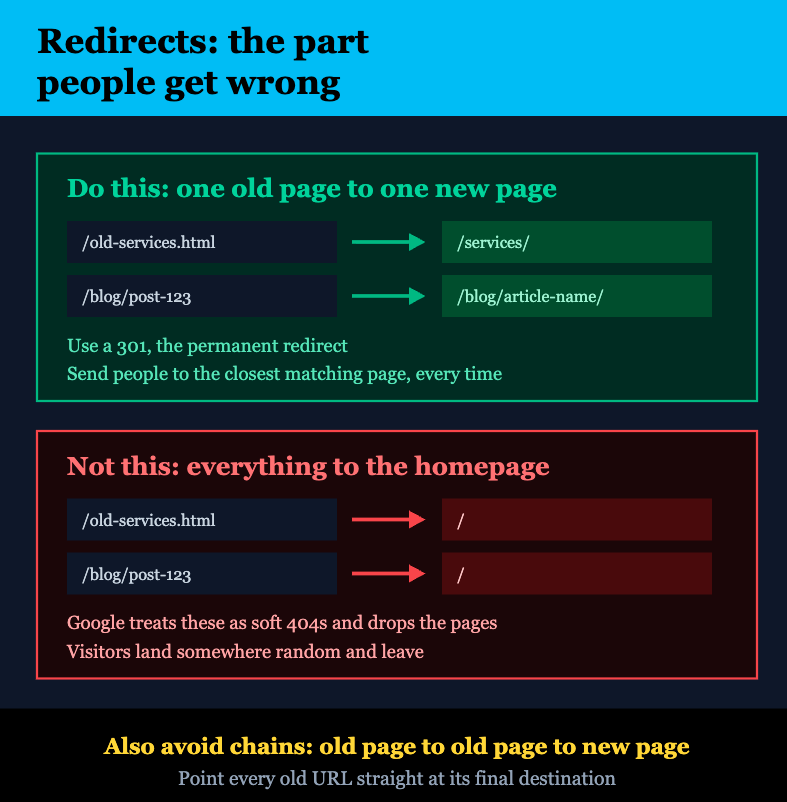
Use 301, not 302. A 301 says the move is permanent, which is what tells Google to transfer the page’s signals to the new URL. A 302 says temporary, and Google keeps the old URL in mind. Most migration redirects should be 301s.
One old page to one new page. Match like with like. A service page goes to the equivalent service page, a blog post to the same post.
Avoid chains. If old page A redirects to old page B which redirects to new page C, fix it so A points straight to C. Chains slow things down and lose signal along the way.
Don’t redirect everything to the homepage. Worth repeating, because it keeps happening. Google’s own site move documentation is explicit that redirects should point to equivalent content.
Keep the redirects in place. Leave them running for at least a year. Old links on other websites don’t get updated, and they’ll keep sending you traffic for years.
Launch Day
Go through this list in order, on the live site, within the first hour:
- Remove the noindex tag. Check the page source of the live site for
<meta name="robots" content="noindex">. On WordPress, check Settings → Reading and make sure “Discourage search engines” is unticked. - Check robots.txt. Make sure it isn’t still blocking the whole site with
Disallow: /. - Test the redirects. Spot-check your top 20 pages by hand, then crawl the old URL list and confirm every one returns a 301 to the right place.
- Check HTTPS. The SSL certificate should be live, with http redirecting to https and no mixed content warnings.
- Submit the new XML sitemap in Search Console, and keep the old sitemap available for a few weeks so Google recrawls the old URLs and sees the redirects.
- Confirm tracking works. Analytics, Tag Manager, conversion tracking and any ad pixels. Test a form submission end to end.
- Check canonicals. Each page should point to itself, not to a staging domain.
- If the domain changed, use the Change of Address tool in Search Console and add the new domain as a property.
The First Month After
Some movement is normal. Google has to recrawl and reprocess everything, and rankings usually wobble for two to eight weeks before settling. What you’re watching for is whether things are recovering or getting worse.
Week 1. Check Search Console daily for crawl errors and 404s. Every 404 with traffic behind it means a redirect you missed. Watch indexing: pages should start appearing under the new URLs within days.
Weeks 2–4. Re-crawl the site weekly and fix broken links. Update internal links so they point at the new URLs directly. Compare traffic against your benchmark, page by page rather than sitewide, because one or two big pages can hide the real picture.
Month 2 onwards. Contact the sites that link to your most valuable pages and ask them to update the link. Directories, partners, suppliers and press coverage are the ones worth chasing. Redirects do the job, but a direct link is always better.
If traffic is still well down after eight weeks, something is structurally wrong. The usual culprits, in order: a noindex still in place, redirects pointing at the wrong pages, or content that changed more than anyone realised.
Things People Forget
- Email. If you’re changing hosting or domain, email is often on the same account. Plan it separately or you’ll lose mail on launch day.
- Old files. Keep a full backup of the old site, files and database, for at least six months. If something is missing, that copy is the only way to get it back.
- Images. Image URLs change too. If your images ranked in Google Images or are embedded on other sites, redirect them.
- PDFs and downloads. Brochures and datasheets get linked to and ranked. They need redirects like any other page.
- DNS timing. Lower your DNS TTL a day or two before the move so the switch propagates in minutes rather than hours.
- Launch timing. Move on a Tuesday or Wednesday morning, not Friday afternoon. You want your developer available when something surfaces.
How Long It Takes
For a typical business site of 50 to 200 pages, allow one to two weeks for preparation — crawling, benchmarking and building the redirect map — a launch day with the team on standby, and four to eight weeks of monitoring afterwards. Larger sites and ecommerce migrations take longer, mostly because the redirect mapping is bigger and product URLs need careful handling.
Rushing the preparation is what causes problems. The launch itself is usually the easy part.
Summary
Moving a website without losing rankings comes down to four things: know every URL you currently have, map each one to its new home, check nothing is blocking Google on launch day, and watch Search Console closely for the first month. A short dip is normal. A permanent drop means something was missed, and it’s nearly always the redirects or a leftover noindex tag.
If you’re planning a redesign, a replatform or a move to a new domain, the content migration team at Matrix Internet handles migrations for Irish and European businesses, with the redirect mapping and post-launch monitoring built in. Our SEO team can also benchmark your site beforehand so you know exactly what moved and why.
At Matrix Internet, our team handles website migrations for Irish and European businesses — mapping every redirect, testing before launch, and monitoring Search Console afterwards so your rankings and traffic come through the move intact.
FAQs
A short dip is normal. Google needs to recrawl and reprocess everything, so rankings usually wobble for two to eight weeks before settling back. What isn't normal is a permanent drop. If traffic is still well down after eight weeks, something was missed — most often a noindex tag left over from staging, redirects pointing at the wrong pages, or content that changed more than anyone intended. Done properly, a migration should leave your rankings roughly where they were, and sometimes better if the new site is faster.
A 301 redirect tells browsers and search engines that a page has permanently moved to a new address. It sends visitors to the new page automatically and passes the old page's search signals across, so the ranking moves with it. The alternative, a 302, says the move is temporary, which tells Google to keep the old URL in mind rather than transferring anything. Nearly all migration redirects should be 301s. Without them, old pages simply return 404 and their rankings disappear.
No, and this is one of the most common ways migrations go wrong. Google treats a mass redirect to the homepage as a soft 404 and drops those pages anyway, so you get none of the benefit. It's also poor for visitors, who click a link expecting a specific page and land somewhere unrelated. Every old URL should point to the closest matching page on the new site. Where content has genuinely been removed and had no traffic or links, letting it return a 404 is fine.
At least a year, and preferably permanently. Links on other websites, in old emails, in printed material and in directories don't get updated when you move. Those links keep sending traffic for years, and each one needs its redirect to still be working. Redirects cost nothing to keep, so there's rarely a good reason to remove them.
Only if you're changing domain. In that case, add the new domain as a property in Google Search Console and use the Change of Address tool, which tells Google the move is deliberate. If you're keeping the same domain and only changing URLs or design, there's no tool to use — Google works it out from your redirects. In both cases, submit the new XML sitemap in Search Console and keep the old sitemap available for a few weeks so Google recrawls the old URLs and finds the redirects.
By Srdjan


