

BLOG
Website Design: 100 Essential Questions & Answers
The Complete Guide Welcome to the ultimate resource for website design knowledge. Whether you’re a beginner just starting your web design journey or an experienced professional looking to refine your skills, this comprehensive guide covers everything you need to know about creating effective, beautiful, and user-friendly websites. From fundamental design principles to advanced techniques, these […]
The Complete Guide
Welcome to the ultimate resource for website design knowledge. Whether you’re a beginner just starting your web design journey or an experienced professional looking to refine your skills, this comprehensive guide covers everything you need to know about creating effective, beautiful, and user-friendly websites. From fundamental design principles to advanced techniques, these 100 questions and answers will help you master the art and science of web design.
Section 1: Website Design Fundamentals
1. What is website design?
Website design is the process of planning, conceptualising, and arranging content for the internet. It encompasses several aspects, including webpage layout, content production, and graphic design. Modern website design goes beyond aesthetics to include the website’s overall functionality, user experience, and how well it achieves its intended purpose.
2. What’s the difference between web design and web development?
Web design focuses on the visual and experiential aspects of a website—what users see and interact with. This includes layout, colour schemes, typography, and user interface elements. Web development, on the other hand, involves the technical implementation—writing code to make the design functional. Designers create the blueprint; developers build the house.
3. What are the key principles of good web design?
Good web design follows several core principles: simplicity, consistency, visual hierarchy, responsive design, accessibility, fast loading times, clear navigation, and purposeful design. Each element should serve a function and contribute to the overall user experience. The design should guide users naturally toward their goals while maintaining brand identity.
4. Why is responsive design important?
Responsive design ensures your website adapts seamlessly to different screen sizes and devices—from smartphones to tablets to desktop computers. With over 60% of web traffic coming from mobile devices, responsive design is essential for reaching your audience, improving user experience, and maintaining good search engine rankings. Google also uses mobile-first indexing, making responsive design crucial for SEO.
5. What is user experience (UX) in web design?
User experience encompasses all aspects of how a user interacts with your website. This includes ease of navigation, page load speed, content accessibility, visual appeal, and how intuitively users can accomplish their goals. Good UX design anticipates user needs, removes friction points, and creates a satisfying journey from landing page to conversion.
6. What is user interface (UI) design?
UI design refers to the visual and interactive elements users engage with on a website—buttons, icons, spacing, typography, colour schemes, and responsive design. While UX focuses on the overall experience, UI concentrates on the presentation and interactivity of the product. Great UI design is both beautiful and functional, making complex interactions feel effortless.
7. What role does colour theory play in web design?
Color theory is fundamental to web design as colors evoke emotions, establish brand identity, and guide user attention. Understanding complementary colours, colour harmonies, and psychological associations helps designers create visually appealing and effective websites. The right colour palette can increase brand recognition by up to 80% and significantly impact conversion rates.
8. What is visual hierarchy?
Visual hierarchy is the arrangement and presentation of design elements in order of importance. Through size, colour, contrast, spacing, and positioning, designers guide users’ attention to key information first. Effective visual hierarchy makes content scannable and helps users process information efficiently, leading to better engagement and conversion rates.
9. What is white space, and why is it important?
White space, or negative space, is the empty area between design elements. Far from being wasted space, it improves readability, draws attention to important elements, creates balance, and gives designs a modern, professional appearance. Strategic use of white space can increase comprehension by up to 20% and makes websites feel less cluttered and overwhelming.
10. What makes a website accessible?
Web accessibility means designing websites usable by everyone, including people with disabilities. This includes providing text alternatives for images, ensuring keyboard navigation, maintaining sufficient color contrast, using semantic HTML, and creating content readable by screen readers. Accessible design benefits all users and is often legally required under laws like the ADA and WCAG guidelines.
Section 2: Layout and Structure
11. What is a grid system in web design?
A grid system is a structure of intersecting vertical and horizontal lines that helps organise content on a webpage. Grids create consistency, improve alignment, establish visual rhythm, and make responsive design easier. Popular systems include the 12-column grid, which offers flexibility for various layout combinations while maintaining proportional harmony.
12. What is the F-pattern in web design?
The F-pattern describes how users typically scan web content in an F-shaped pattern: horizontally across the top, down the left side, and then another horizontal scan further down. Understanding this pattern helps designers place important content, calls-to-action, and navigation elements where users naturally look first, maximizing engagement and conversion potential.
13. What is the Z-pattern layout?
The Z-pattern is a layout that guides the eye in a Z-shaped path across the page, ideal for simple designs with minimal text. Users start at the top left, move horizontally to the top right, diagonally down to the bottom left, and finally across to the bottom right. This pattern works well for landing pages and designs with a clear hierarchical structure.
14. What is above the fold?
Above the fold refers to the portion of a webpage visible without scrolling. This prime real estate should contain your most important content, value proposition, and primary call-to-action. While modern users are comfortable scrolling, the above-the-fold content significantly impacts first impressions and determines whether visitors stay or leave.
15. What are wireframes?
Wireframes are simplified, skeletal layouts that outline the structure and functionality of a webpage without detailed design elements. They focus on content placement, navigation flow, and user interface elements. Wireframes serve as blueprints that help stakeholders visualise and agree on site structure before investing time in detailed design and development.
16. What is a mockup?
A mockup is a static, high-fidelity representation of the final design, including colours, typography, images, and detailed styling. Unlike wireframes, mockups show exactly how the finished website will look. They’re essential for client approval, developer handoff, and ensuring everyone shares the same vision before coding begins.
17. What is a prototype?
A prototype is an interactive simulation of the final product that demonstrates functionality and user flows. Unlike static mockups, prototypes allow stakeholders to click through pages, test navigation, and experience interactions. This helps identify usability issues, validate design decisions, and gather user feedback before development.
18. What is card-based design?
Card-based design organises content into contained, rectangular modules or cards. Each card typically includes an image, headline, and brief description. This approach is highly flexible, works excellently for responsive design, makes content scannable, and is perfect for displaying diverse content types. Pinterest and Google Now popularised this pattern.
19. What is the hero section?
The hero section is the prominent area at the top of a webpage, typically featuring a large image or video, compelling headline, supporting copy, and a clear call-to-action. It’s the first thing visitors see and should immediately communicate your value proposition and encourage further engagement.
20. How do you design effective navigation?
Effective navigation is clear, consistent, and intuitive. Best practices include limiting menu items to 7 or fewer, using descriptive labels, maintaining the same navigation across all pages, providing visual feedback for the current location, and ensuring mobile-friendly implementation. Good navigation helps users find information quickly and reduces bounce rates.
Section 3: Typography
21. Why is typography important in web design?
Typography affects readability, accessibility, brand personality, and user engagement. Good typography guides readers through content, establishes visual hierarchy, and creates emotional connections. Since websites are primarily text-based, typography choices directly impact how effectively your message is communicated and whether users stay engaged.
22. What’s the difference between serif and sans-serif fonts?
Serif fonts have small decorative strokes at the end of letters (like Times New Roman), traditionally used for print. Sans-serif fonts lack these strokes (like Arial or Helvetica) and are generally preferred for web design due to better screen readability. Sans-serif fonts appear cleaner and more modern, especially on digital displays.
23. How many fonts should you use on a website?
Limit your website to 2-3 font families maximum. Typically, use one font for headings and another for body text. Too many fonts create visual chaos and slow page loading. Choose fonts that complement each other and align with your brand personality. Consistency in typography strengthens brand identity and improves readability.
24. What is a web-safe font?
Web-safe fonts are typefaces pre-installed on most operating systems, ensuring consistent display across devices. Common examples include Arial, Times New Roman, and Georgia. While web fonts now allow more creative freedom, web-safe fonts serve as reliable fallbacks and ensure your text remains readable if custom fonts fail to load.
25. What are web fonts?
Web fonts are custom typefaces loaded from external servers (like Google Fonts or Adobe Fonts) that aren’t pre-installed on users’ devices. They expand design possibilities beyond web-safe fonts, allowing for unique brand expression. However, they require additional HTTP requests and can impact page load speed if not optimised properly.
26. What is the optimal font size for body text?
For body text, 16-18 pixels is generally optimal for readability on desktop screens. Mobile devices may require slightly larger sizes (18-20 pixels) due to smaller screens and reading distances. Font size should also be adjustable using relative units (em or rem) to respect user preferences and improve accessibility.
27. What is line height, and why does it matter?
Line height is the vertical space between lines of text. Optimal line height (typically 1.5-1.6 times the font size) improves readability by preventing lines from appearing cramped or too sparse. Proper line spacing makes text easier to scan, reduces eye strain, and creates a more pleasant reading experience.
28. What is letter spacing (tracking)?
Letter spacing, or tracking, is the uniform adjustment of space between all letters in a text block. Slight increases in letter spacing can improve readability, especially for uppercase text or small font sizes. However, excessive letter spacing makes text harder to read and can appear unprofessional.
29. What is the optimal line length for readability?
The optimal line length is 50-75 characters (including spaces), or about 10-12 words per line. Lines that are too long tyre the eye and make it difficult to track from one line to the next. Lines that are too short cause frequent eye movement and disrupt reading rhythm. Maintaining optimal line length significantly improves reading comprehension.
30. How do you create good typographic hierarchy?
Typographic hierarchy uses size, weight, colour, and spacing to establish content importance. Headings should be significantly larger than body text, with clear distinctions between heading levels. Use bold sparingly for emphasis, maintain consistent styling for similar elements, and ensure sufficient contrast between text and background for readability.
Section 4: Colour and Visual Design
31. How do you choose a colour palette?
Start with brand colours or industry-appropriate hues. Use colour theory to select complementary, analogous, or triadic colour schemes. Limit your palette to 3-5 main colours: a primary brand colour, secondary supporting colours, neutral colours for backgrounds and text, and accent colours for calls-to-action. Tools like Adobe Colour and Coolors help generate harmonious palettes.
32. What is colour contrast, and why is it important?
Colour contrast is the difference in luminance between foreground and background colours. Sufficient contrast ensures text is readable for all users, including those with visual impairments. WCAG guidelines recommend a minimum contrast ratio of 4.5:1 for normal text and 3:1 for large text. Poor contrast frustrates users and excludes those with accessibility needs.
33. What emotions do different colours evoke?
Colours trigger psychological responses: blue conveys trust and professionalism, red creates urgency and excitement, green suggests growth and health, yellow evokes optimism and warmth, purple implies luxury and creativity, and black represents sophistication. Understanding colour psychology helps designers create emotional connections and influence user behaviour strategically.
34. What is a call-to-action (CTA)?
A call-to-action is a prompt that encourages users to take specific action—subscribe, purchase, download, or contact. Effective CTAs use action-oriented language, contrasting colours, prominent placement, and adequate whitespace. They should be clear, concise, and create urgency or value that motivates immediate action.
35. How do you design effective buttons?
Effective buttons are immediately recognisable as clickable through visual cues like shadows, borders, or hover effects. They should be sized appropriately (minimum 44×44 pixels for touch targets), use contrasting colours, contain clear action-oriented text, and provide visual feedback when clicked. Button placement should align with user expectations and visual hierarchy.
36. What is the rule of thirds in web design?
The rule of thirds divides the design space into nine equal parts using two horizontal and two vertical lines. Placing important elements along these lines or at their intersections creates more dynamic, visually interesting compositions than centred layouts. This photography principle translates well to web design for creating balanced, engaging layouts.
37. How do you use images effectively in web design?
Use high-quality, relevant images that support your message and brand. Optimise file sizes for fast loading, provide descriptive alt text for accessibility, use appropriate formats (JPEG for photos, PNG for graphics with transparency, SVG for logos), and ensure images are responsive. Authentic images of real people typically perform better than generic stock photos.
38. What is image optimisation?
Image optimisation reduces file sizes without significantly degrading visual quality, improving page load speeds. Techniques include choosing appropriate formats, compressing images, using responsive images, implementing lazy loading, and serving images through CDNs. Optimised images are crucial since they typically comprise 50-70% of total page weight.
39. What are icon fonts vs SVG icons?
Icon fonts (like Font Awesome) treat icons as text characters, offering easy sizing and colouring through CSS. SVG icons are vector graphics that scale perfectly, support multi-colour designs, and offer better accessibility. SVGs are generally preferred for modern websites due to superior flexibility, performance, and accessibility benefits.
40. What is a design system?
A design system is a collection of reusable components, patterns, and guidelines that ensure consistency across a product or brand. It includes colour palettes, typography, spacing, components, and usage rules. Design systems accelerate development, maintain consistency, improve collaboration, and make scaling easier as products grow.
Section 5: Responsive and Mobile Design
41. What is mobile-first design?
Mobile-first design starts with designing for mobile devices before scaling up to larger screens. This approach prioritises essential content and features, ensures optimal mobile performance, and progressively enhances the experience for larger displays. With mobile traffic dominating, mobile-first design results in faster, more focused websites.
42. What are breakpoints?
Breakpoints are specific screen widths where a website’s layout changes to accommodate different devices. Common breakpoints target mobile phones (320-480px), tablets (768px), and desktops (1024px+). Modern responsive design uses flexible grids and media queries at these breakpoints to ensure optimal display across all screen sizes.
43. What is a hamburger menu?
The hamburger menu is a compact icon (three horizontal lines) that reveals navigation when clicked, commonly used on mobile devices to save screen space. While effective for complex navigation, it can reduce discoverability compared to visible menus. Best practice is using hamburgers for mobile while showing full navigation on desktop.
44. What is a viewport meta tag?
The viewport meta tag controls how a website is displayed on mobile browsers, telling the browser to match the screen width and set the initial zoom level. Without this tag, mobile browsers render pages at desktop width and zoom out, making content tiny. The viewport tag is essential for responsive design to function properly.
45. What are touch targets?
Touch targets are interactive elements (buttons, links, form fields) that users tap on mobile devices. They should be a minimum of 44×44 pixels to accommodate average finger size and prevent accidental taps. Adequate spacing between touch targets is equally important. Properly sized touch targets dramatically improve mobile usability.
46. What is the thumb zone in mobile design?
The thumb zone refers to the natural arc of thumb movement on mobile screens. The bottom centre is most easily reached, while the top corners are hardest. Designers should place primary actions and frequently-used controls within easy reach, considering both one-handed and two-handed use patterns.
47. How do you optimise forms for mobile?
Mobile form optimisation includes using appropriate input types (tel, email, number), minimising required fields, using large, tappable inputs, providing clear labels, implementing auto-complete, breaking long forms into steps, and using inline validation. Mobile keyboards should match input type, and error messages should be clear and helpful.
48. What is adaptive design vs responsive design?
Responsive design uses flexible grids and CSS media queries to create fluid layouts that adapt to any screen size. Adaptive design creates multiple fixed layouts for specific screen sizes and serves the appropriate version. Responsive is more flexible and future-proof; adaptive offers more control but requires maintaining multiple layouts.
49. What is a progressive web app (PWA)?
Progressive Web Apps are websites that function like native mobile apps, offering offline functionality, push notifications, home screen installation, and fast loading. PWAs use modern web technologies to deliver app-like experiences without requiring app store downloads. They’re cost-effective alternatives to native apps with broad compatibility.
50. How do you test responsive design?
Test responsive design using browser developer tools, device emulators, actual devices, and responsive design testing tools like BrowserStack or Responsinator. Check all breakpoints, test interactions and forms, verify image loading, and validate on different browsers and operating systems. Real device testing is essential as emulators don’t catch all issues.
Section 6: Performance and Optimisation
51. Why is website speed important?
Website speed directly impacts user experience, conversion rates, and search rankings. Studies show 53% of mobile users abandon sites taking over 3 seconds to load. Each second of delay can reduce conversions by 7%. Google also uses page speed as a ranking factor. Fast websites provide better experiences and drive business results.
52. What is lazy loading?
Lazy loading defers loading of non-critical resources (images, videos) until they’re needed—typically when scrolling into view. This reduces initial page load time, saves bandwidth, and improves performance metrics. Modern browsers support native lazy loading through the loading=’lazy’ attribute, making implementation simple and effective.
53. What is minification?
Minification removes unnecessary characters from code (whitespace, comments, formatting) without changing functionality, reducing file sizes. Minified CSS and JavaScript files load faster and consume less bandwidth. Build tools and content delivery networks typically handle minification automatically. Always minify production code while keeping readable versions for development.
54. What is a CDN (Content Delivery Network)?
A CDN is a network of servers distributed globally that cache your website’s static content from locations closest to users. This reduces latency, improves load times, handles traffic spikes, and provides redundancy. CDNs are essential for websites with international audiences or high traffic volumes.
55. What is browser caching?
Browser caching stores website resources locally on user devices so they don’t need to be re-downloaded on repeat visits. Properly configured caching headers tell browsers how long to store files, dramatically improving load times for returning visitors. Balance caching duration with the need to update content.
56. What is GZIP compression?
GZIP is a file compression method that reduces the size of HTML, CSS, and JavaScript files sent from the server to the browser. Enabling GZIP compression on your server can reduce file sizes by 70-90%, significantly improving load times with minimal server overhead. Most modern servers support GZIP compression out of the box.
57. What are Core Web Vitals?
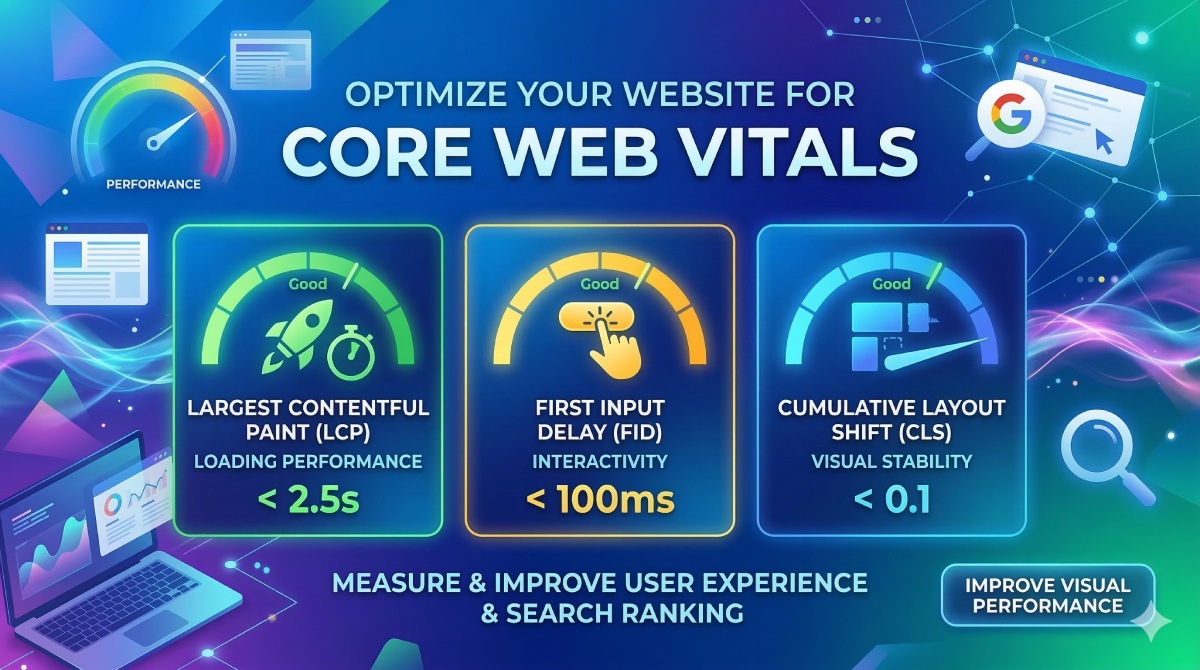
Core Web Vitals are Google’s user experience metrics: Largest Contentful Paint (loading performance), First Input Delay (interactivity), and Cumulative Layout Shift (visual stability). These metrics affect search rankings and measure real-world user experience. Optimising Core Web Vitals improves both SEO and user satisfaction.
58. What are render-blocking resources?
Render-blocking resources are files (typically CSS and JavaScript) that prevent page rendering until they’re downloaded and processed. Minimise render-blocking by inlining critical CSS, deferring non-essential scripts, using async or defer attributes, and prioritising above-the-fold content. This significantly improves perceived load time.
59. How do you optimise web fonts?
Optimise web fonts by limiting font families and weights, using font-display: swap to prevent invisible text, subsetting fonts to include only needed characters, preloading critical fonts, and hosting fonts locally or using reliable CDNs. Variable fonts can also reduce file sizes by including multiple weights in one file.
60. What tools measure website performance?
Popular performance measurement tools include Google PageSpeed Insights, Lighthouse, GTmetrix, WebPageTest, and Chrome DevTools. These tools provide metrics, identify issues, and suggest optimisations. Test from multiple locations and devices to get accurate performance data representing your actual user base.
Section 7: SEO and Best Practices
61. How does web design affect SEO?
Web design significantly impacts SEO through site speed, mobile-friendliness, user experience signals, content structure, and technical implementation. Search engines reward fast, accessible, mobile-optimised sites with good user engagement. Clean semantic HTML, proper heading hierarchy, and optimised images all contribute to better search rankings.
62. What is semantic HTML?
Semantic HTML uses tags that describe content meaning rather than just presentation—like <article>, <nav>, <header>, and <footer> instead of generic <div> elements. Semantic markup improves accessibility, helps search engines understand content, and makes code more maintainable. It’s fundamental to modern, well-structured web design.
63. What are meta tags?
Meta tags provide information about web pages to search engines and browsers. Critical meta tags include title tags, meta descriptions, viewport settings, and Open Graph tags for social sharing. Well-crafted meta tags improve search visibility, click-through rates, and social media appearance. Each page should have unique, descriptive meta tags.
64. What is alt text for images?
Alt text is descriptive text for images that serves screen reader users and appears if images fail to load. It should concisely describe the image content and function. Good alt text improves accessibility and SEO, as search engines use it to understand image content. Decorative images should have empty alt attributes (alt=”).
65. What is the heading hierarchy?
Heading hierarchy uses H1-H6 tags to structure content logically. Each page should have one H1 (main title), followed by H2 for major sections, H3 for subsections, etc. Never skip levels. Proper hierarchy helps users scan content, assists screen readers, and helps search engines understand content structure and importance.
66. What are structured data and schema markup?
Structured data uses schema markup to provide explicit information about page content to search engines. This enables rich snippets in search results—like star ratings, event dates, and recipe details. Schema.org provides standardised formats for marking up products, articles, events, and more, improving search visibility.
67. What is a canonical URL?
A canonical URL is the preferred version of a web page when duplicate or similar content exists at multiple URLs. The canonical tag tells search engines which version to index, preventing duplicate content penalties. This is essential for e-commerce sites, blogs with pagination, and sites with URL parameters.
68. What is a sitemap?
A sitemap is an XML file listing all pages on your website, helping search engines discover and crawl content. Include priority levels, update frequencies, and last modification dates. Submit sitemaps to Google Search Console and Bing Webmaster Tools. Regular sitemap updates ensure search engines index new content quickly.
69. What is robots.txt?
Robots.txt is a file in your site’s root directory that tells search engine crawlers which pages to access or ignore. Use it to prevent indexing of admin areas, duplicate content, or resource files. Incorrect robots.txt configuration can accidentally block important pages from search engines, harming SEO.
70. How do you create SEO-friendly URLs?
SEO-friendly URLs are short, descriptive, and include relevant keywords. Use hyphens to separate words, keep URLs lowercase, avoid special characters and parameters, and create a logical hierarchy. For example: website.com/blog/web-design-tips is better than website.com/page?id=123. Clean URLs improve user experience and search rankings.
Section 8: Accessibility
71. What are WCAG guidelines?
Web Content Accessibility Guidelines (WCAG) are international standards for making web content accessible to people with disabilities. WCAG 2.1 has three conformance levels (A, AA, AAA) covering perceivability, operability, understandability, and robustness. Level AA is the commonly targeted standard for legal compliance and best practice.
72. Why is keyboard navigation important?
Keyboard navigation allows users who can’t use mice to navigate websites using Tab, Enter, and arrow keys. This is essential for people with motor disabilities and screen reader users. All interactive elements must be keyboard accessible, with visible focus indicators showing the current position. Test your entire site using only keyboard navigation.
73. What are ARIA labels?
ARIA (Accessible Rich Internet Applications) labels provide additional context for screen readers when HTML alone is insufficient. Common ARIA attributes include aria-label, aria-labelledby, and aria-describedby. Use ARIA to make dynamic content, custom widgets, and complex interactions accessible. However, semantic HTML should always be the first choice.
74. How do you make forms accessible?
Accessible forms use clear labels properly associated with inputs, provide helpful error messages, include a fieldset and legend for related inputs, mark required fields clearly, use appropriate input types, and ensure logical tab order. Never use placeholder text as labels. Group related fields logically and provide clear instructions.
75. What is focus management?
Focus management controls where keyboard focus goes when users interact with dynamic content like modals, dropdowns, or single-page applications. When opening modals, focus should move to the modal and be trapped until closed. After closing, focus should return to the triggering element. Proper focus management prevents keyboard users from getting lost.
76. What is skip navigation?
Skip navigation links allow keyboard users to jump directly to the main content, bypassing repetitive navigation menus. These links are typically hidden visually but available to screen readers and keyboard users. They’re especially important for sites with extensive navigation, improving efficiency for users who navigate via keyboard.
77. How do you make videos accessible?
Accessible videos include captions for deaf users, transcripts for search engines and users who prefer reading, audio descriptions for blind users, and keyboard-accessible controls. Use native HTML5 video players when possible, provide pause controls, and ensure auto-playing videos can be stopped. Never rely solely on video to convey critical information.
78. What tools test accessibility?
Accessibility testing tools include WAVE, aXe, Lighthouse, and browser extensions that identify issues automatically. However, automated tools catch only 30-40% of accessibility issues. Manual testing with screen readers (NVDA, JAWS, VoiceOver), keyboard navigation, and user testing with people with disabilities are essential for comprehensive accessibility.
79. What is the consideration?
Approximately 8% of men and 0.5% of women have some form of colour blindness. Never use colour alone to convey information—combine with text, patterns, or icons. Ensure sufficient contrast between foreground and background. Test designs with colour blindness simulators to verify information remains accessible to everyone.
80. Why is responsive text sizing important for accessibility?
Many users with visual impairments adjust browser text size. Using relative units (em, rem, %) instead of fixed pixels allows text to scale properly with user preferences. Layouts should remain functional when text is enlarged up to 200%. Test your design at various zoom levels to ensure it remains usable.
Section 9: User Experience
81. What is user research?
User research involves studying target users through interviews, surveys, usability testing, and analytics to understand their needs, behaviours, and pain points. Research informs design decisions with real data rather than assumptions, leading to products that better serve users. Continuous user research throughout the design process ensures solutions remain user-centred.
82. What are user personas?
User personas are fictional characters representing different user types based on research data. They include demographics, goals, behaviours, pain points, and motivations. Personas help teams empathise with users and make design decisions aligned with user needs. Create 3-5 personas covering your primary user segments, not every possible user type.
83. What is user journey mapping?
User journey maps visualise the complete experience users have with your product, from awareness through purchase and beyond. They identify touchpoints, emotions, pain points, and opportunities for improvement at each stage. Journey mapping helps teams understand the full user experience and prioritise improvements that matter most.
84. What is A/B testing?
A/B testing compares two versions of a webpage to determine which performs better. Half the traffic sees version A, half sees version B, and statistical analysis determines the winner. Test one variable at a time (headlines, CTA buttons, layouts) with sufficient sample sizes. A/B testing removes guesswork and enables data-driven design decisions.
85. What is usability testing?
Usability testing observes real users attempting tasks on your website while thinking aloud. This reveals confusion, frustration, and unexpected behaviours. Even testing with 5 users uncovers most usability issues. Conduct tests regularly throughout design and development to catch problems early when they’re easier and cheaper to fix.
86. What is heatmap analysis?
Heatmaps visualise where users click, scroll, and move their mouse on webpages. Hot colours indicate high activity; cool colours show ignored areas. Tools like Hotjar and Crazy Egg provide click maps, scroll maps, and attention maps. Heatmap data reveals what users actually do versus what designers expect, guiding optimisation efforts.
87. What is bounce rate, and why does it matter?
Bounce rate is the percentage of visitors who leave after viewing only one page. High bounce rates often indicate poor user experience, irrelevant content, slow loading, or unclear value propositions. However, context matters—blog posts naturally have higher bounce rates than e-commerce sites. Analyse bounce rate alongside other metrics for meaningful insights.
88. What is conversion rate optimisation (CRO)?
Conversion rate optimisation improves the percentage of visitors who complete desired actions—purchases, signups, downloads. CRO involves analysing user behaviour, identifying friction points, testing hypotheses, and implementing improvements. Small conversion rate increases significantly impact business results. CRO is ongoing; markets and user behaviours constantly evolve.
89. What is information architecture?
Information architecture organises and structures website content to help users find information easily. This includes site structure, navigation systems, labelling, and search functionality. Good IA makes complex information understandable through logical groupings, clear labels, and intuitive hierarchies. Card sorting and tree testing help validate IA decisions.
90. What is friction in UX design?
Friction is any obstacle preventing users from accomplishing their goals—confusing navigation, required registrations, lengthy forms, slow loading, or unclear instructions. Reducing friction improves conversion rates and user satisfaction. However, strategic friction (like confirming deletions) prevents errors. The key is eliminating unnecessary friction while maintaining appropriate safeguards.
Section 10: Tools, Technologies, and Trends
91. What are popular design tools?
Leading design tools include Figma (collaborative interface design), Adobe XD (UI/UX design), Sketch (Mac-based design), Adobe Photoshop (image editing), and Adobe Illustrator (vector graphics). Figma has become the industry standard for its real-time collaboration, browser-based access, and robust design system capabilities. Choose tools based on team needs and workflow.
92. What is CSS Grid vs Flexbox?
CSS Grid creates two-dimensional layouts (rows and columns), ideal for page-level layouts and complex designs. Flexbox handles one-dimensional layouts (row or column), perfect for component-level design and alignment. Both are essential modern layout tools. Use Grid for overall page structure and Flexbox for component internals. They complement rather than compete.
93. What is dark mode?
Dark mode uses dark backgrounds with light text, reducing eye strain in low-light conditions and potentially saving battery on OLED screens. Implementing dark mode requires careful colour palette planning to maintain readability and contrast. Use CSS media queries to detect system preferences and provide toggle options. Test thoroughly as dark mode exposes contrast issues.
94. What are micro-interactions?
Micro-interactions are small, functional animations that provide feedback—button hover effects, loading spinners, form validation messages, or pull-to-refresh animations. They make interfaces feel responsive and alive, communicate system status, prevent errors, and delight users. Good micro-interactions are subtle, purposeful, and enhance rather than distract from the user experience.
95. What is parallax scrolling?
Parallax scrolling creates depth by moving background elements more slowly than foreground elements as users scroll. When used sparingly, it adds visual interest and storytelling potential. However, parallax can cause performance issues, accessibility problems, and disorientation. Use it purposefully for emphasis, not decoration, and always provide alternatives for users who prefer reduced motion.
96. What is minimalism in web design?
Minimalist design emphasises simplicity by removing non-essential elements, using ample white space, limiting colour palettes, and focusing on core content. It’s not about using less for the sake of it, but removing everything that doesn’t serve users. Minimalism improves focus, speeds loading, and creates elegant, timeless designs. Balance minimalism with providing enough information for users.
97. What are CSS frameworks?
CSS frameworks like Bootstrap, Tailwind CSS, and Foundation provide pre-built components and utilities to accelerate development. They ensure consistency, include responsive grids, and solve common design problems. However, frameworks can bloat code and create generic-looking sites. Customise frameworks or use utility-first approaches like Tailwind for more unique designs while maintaining efficiency.
98. What is component-based design?
Component-based design breaks interfaces into reusable, self-contained pieces like buttons, cards, and navigation bars. Each component has a defined behaviour and appearance that can be used across the site. This approach improves consistency, speeds development, simplifies maintenance, and enables design systems. Modern frameworks like React embrace component-based architecture.
99. What is voice user interface (VUI) design?
Voice user interface design creates conversational experiences for voice assistants and smart speakers. VUI design requires different principles than visual design—clear, concise language, error recovery, confirmation strategies, and natural conversation flow. As voice technology grows, considering voice accessibility and integration becomes increasingly important for web experiences.
100. What’s the future of web design?
The future of web design includes AI-assisted design tools, more immersive experiences through WebGL and WebXR, increased personalisation, better performance optimisation, stronger focus on accessibility and inclusivity, voice and gesture interfaces, and continued emphasis on mobile-first approaches. The core principles—user-centred design, accessibility, and performance—will remain fundamental while technologies evolve. Successful designers will embrace new tools while maintaining focus on creating meaningful, effective user experiences.
Conclusion
Website design is a dynamic field that combines art, science, and technology to create experiences that inform, engage, and delight users. These 100 questions and answers provide a comprehensive foundation for understanding modern web design principles, from fundamental concepts to advanced techniques and emerging trends.
Whether you’re designing your first website or refining your professional practice, remember that great web design ultimately serves users. Keep learning, stay curious about new technologies, test your assumptions with real users, and never stop asking questions. The web continues to evolve, and so should your skills and knowledge.
Use this guide as a reference, revisit topics as needed, and apply these principles to create websites that are beautiful, functional, accessible, and effective. Happy designing!
By Matrix Internet